
Delete Your Account
We're sorry to see you go. You can delete your account directly from the app, or contact us if you need assistance.
Option 1: Delete from the App (Recommended)
The easiest way to delete your account is directly from the Pop app:
- 1Open Pop and go to Settings
- 2Scroll to the bottom of the Settings screen
- 3Tap "Delete Account"
- 4Confirm your decision when prompted
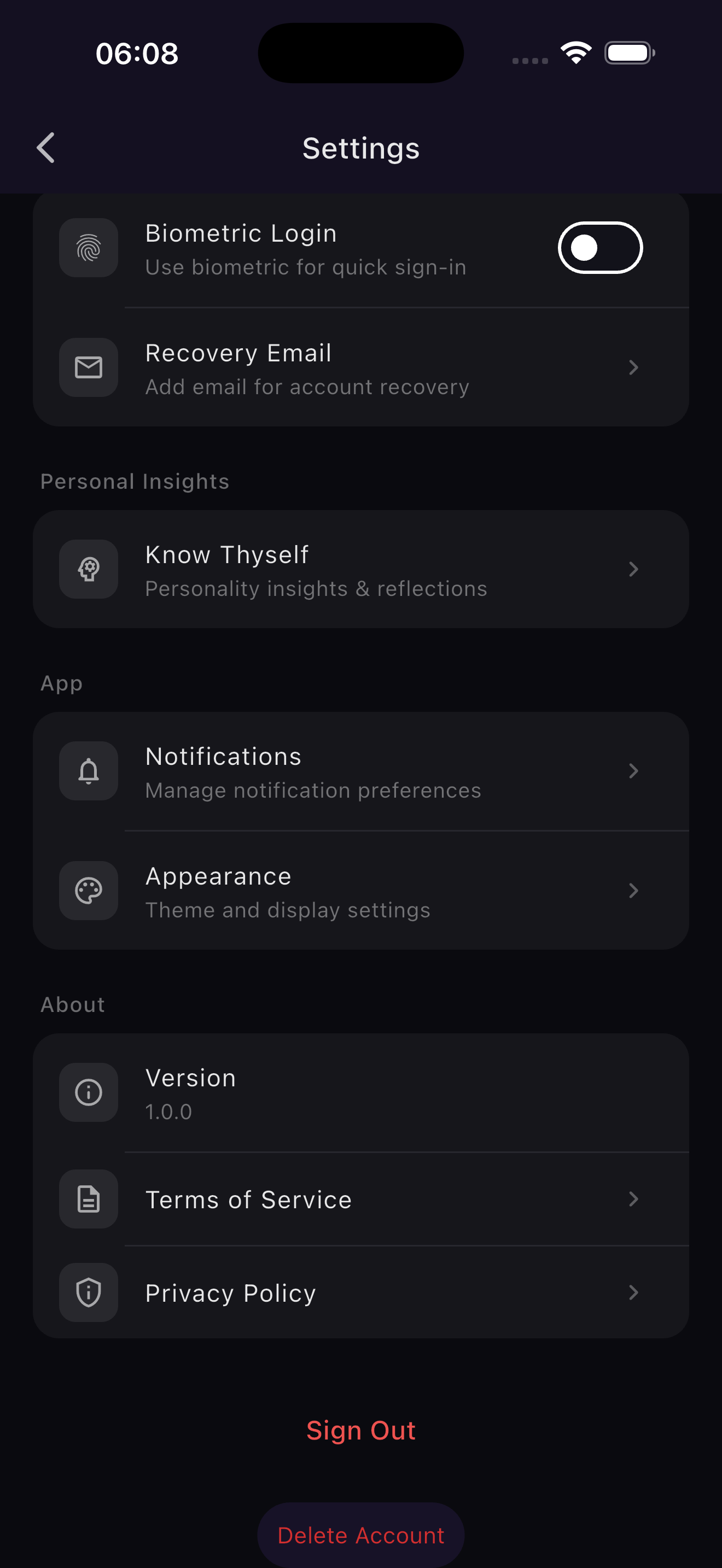
The Delete Account button is at the bottom of Settings
Option 2: Request via Email
If you're unable to delete your account from the app, you can request deletion by email:
support@poptheapp.comInclude in your email:
- 1Your display name used in the app
- 2Your device type (Android or iPhone)
- 3Your request: "Delete my POP account"
What Gets Deleted
When your account is deleted, the following data will be permanently removed:
- Your account profile and display name
- All posts and media you've shared
- Your pod memberships and interactions
- Device tokens and authentication data
- Any other data associated with your account
⚠️ This Action is Permanent
Account deletion is immediate and cannot be undone. All your data will be permanently erased. If you requested deletion via email, it will be processed within 7 days.
Operated by Credasiti